
AI email assistant setup: drafts, auto-send and safety
Connect a support mailbox, let AI prepare grounded email drafts and keep human review until your evidence supports narrow automation.
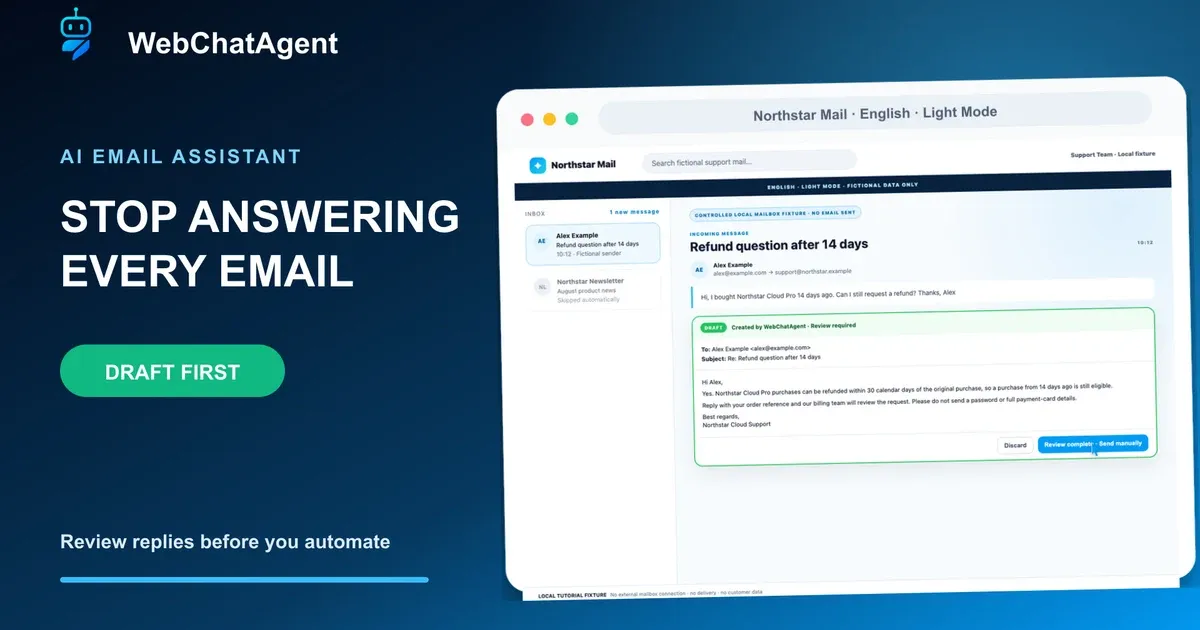
A safe AI email assistant setup starts with reviewed drafts, measurable corrections and explicit escalation rules before any reply is sent automatically.
An AI email assistant can remove repetitive writing without immediately removing human judgment. In WebChatAgent draft mode, new support messages are read through IMAP, answered from the assistant’s approved knowledge and saved as complete drafts in the connected mailbox. A team member still reviews and sends each reply.
This guide deliberately makes Create drafts the primary setup. It explains every visible field, shows why SMTP is optional in draft mode, configures history, formality, extra instructions and signature, and demonstrates the review step with a fictional refund request. Direct send appears only after the reviewed workflow and its safety tests are clear.
The screenshots come from the real current English Light Mode dashboard. Mailbox responses were controlled locally with reserved `.example` addresses; no real mailbox was connected and no email was delivered. The temporary Premium tutorial account and all assistant data were removed after capture with exactly zero tutorial users remaining.
Privacy-protected two-click player
AI Email Assistant Setup: Automate Customer Support Replies Safely
AI email assistant setup with IMAP, reviewed drafts, reply instructions, signature, activity monitoring and safe optional automated email replies.
The YouTube player stays blocked until you choose Play. Loading it connects your browser to YouTube and may transfer technical data to Google.
Open directly on YouTubeWhat you will have at the end
- A support mailbox configured for incoming IMAP access
- Create drafts selected as the reviewed default workflow
- A successful IMAP test with Inbox, Drafts and Sent folders confirmed
- Clear formality, conversation-history, extra-instruction and signature rules
- An active channel with a monitored draft and skipped-message activity log
- A documented test plan for optional direct send and mandatory draft fallbacks
Before you start
- A Standard, Premium or Enterprise account, or an eligible active trial
- An existing assistant with current approved support knowledge
- Authorization to connect and process the chosen shared mailbox
- IMAP host, port, encryption, username and preferably a provider app password
- A dedicated low-risk test mailbox or folder and several fictional test messages
- A named person responsible for reviewing drafts and activity during rollout
Draft first separates AI writing from the send decision
The assistant combines the incoming message, optional earlier correspondence, its configured behavior and retrieved knowledge to prepare a reply. Draft mode uses IMAP to read mail and append the result to the Drafts folder; outgoing SMTP is not required because WebChatAgent does not deliver the reply.
Direct send adds SMTP and removes the review click. That can be appropriate only for narrow, well-tested message classes. Human requests, complaints, cancellations, legal issues, uncertain answers and requests without a trusted knowledge match should continue to create drafts.
01–10
Set it up step by step
Open the assistant’s Email channel
Start inside the correct assistant and read the draft-versus-direct-send boundary.
Open the assistant that should answer the support mailbox, select Channels and choose Email. Confirm the assistant name in the heading and sidebar before entering credentials; email behavior and knowledge belong to this selected assistant.
The introductory notice distinguishes draft mode from direct send. For a new rollout, plan Create drafts first so a human retains the final send decision while you evaluate real reply quality.
Enter mailbox identity and IMAP access
IMAP reads new mail and stores the prepared reply as a draft.
Enter the mailbox address and a sender name that recipients recognize. Leaving the address field can detect supported provider settings and prefill host, port, encryption and username. Review every value against the provider documentation instead of assuming detection is always correct.
Use the incoming IMAP host, normally port 993 with SSL/TLS, and a dedicated app password where available. Credentials are write-only in the interface: after saving, only their stored presence is returned, not the clear text.
- Draft mode requires IMAP
- SMTP remains optional until direct send
- Prefer an app password over a shared account password
Test the connection and detected folders
Prove the login works before activation and verify the real Drafts folder.
Select Test connection. A successful IMAP result confirms host, port, encryption, username and password as one working combination. WebChatAgent then proposes Inbox, Drafts and Sent folders; confirm them because names vary between providers and languages.
In draft mode SMTP shows Not tested because it is not needed for delivery. If IMAP fails, check whether IMAP is enabled, whether the provider requires an app password, and whether port and SSL setting match before changing any AI model or prompt.
Choose Create drafts as the starting mode
The assistant completes the reply but stops before delivery.
Under Reply behavior choose Create drafts. The assistant still reads the message, retrieves approved knowledge, follows the selected tone and prepares a complete reply. It then appends that reply to the mailbox Drafts folder instead of sending it.
Define the reviewer and response-time target before activation. The reviewer checks recipient, subject, factual claims, promises, privacy, tone and signature, then edits, discards or sends the draft manually.
Configure formality, history, instructions and signature
Give the assistant operational rules without duplicating changing business facts.
Choose whether first contact is always formal, always informal or mirrors the sender. Include previous correspondence when follow-up answers need thread context; old messages support context and are not answered again as new mail.
Use Extra instructions for behavior: answer concisely, check approved policy, avoid sensitive-data requests and create a human-review draft for complaints, cancellations, legal requests or uncertainty. Keep prices and policies in maintainable knowledge sources. Add the normal support signature.
Read the Recent activity decisions
Monitor drafts, sent replies, skipped machine mail and errors during rollout.
Recent activity shows when a message produced a draft, was sent, was skipped or failed. The example records the refund question as Draft and a newsletter as Skipped. Auto-replies, bounces, newsletters, own mail and no-reply senders should not trigger normal customer answers.
During the pilot, compare activity daily with the source message and final sent reply. A high edit rate points to weak knowledge, tone or routing rules. Investigate connection errors rather than hiding them behind automatic sending.
Review a grounded draft in the mailbox
The fictional 14-day request uses the approved 30-day policy and remains unsent.
Alex Example asks whether a Northstar Cloud Pro purchase from 14 days ago is still refundable. The controlled draft uses the indexed 30-calendar-day rule, avoids requesting passwords or full card details and includes the configured signature.
Verify recipient, subject, dates, policy wording, sensitive-data handling and promises before sending. If account data is needed, add it only through an authorized team workflow. The green Draft state proves that no external delivery occurred in this example.
Treat direct send as a separate release
SMTP and an explicit confirmation are required because human review is removed.
Selecting Send directly opens an explicit confirmation and makes SMTP required. The assistant would send in your name without a reviewer checking every reply, so changing this mode is an operational release rather than a cosmetic preference.
Before confirming, test unclear questions, complaints, cancellations, legal language, missing knowledge, attachments, forwarded threads and sensitive-data attempts. Keep human requests and uncertain cases as drafts. The tutorial leaves direct send unconfirmed.
Scale from reviewed evidence, not optimism
Measure draft edits before automating one narrow low-risk message class.
Start with drafts, measure edit and rejection rates, repair weak sources and define which message types are genuinely low risk. Automate only one narrow class at a time and keep complaints, cancellations, legal issues, explicit human requests and answers without trusted evidence in the draft queue.
Use a dedicated support mailbox, least-privilege credentials, app passwords where supported, a named review owner and regular activity checks. Repeat the fixed test set after every source, instruction, model or routing change before expanding automation.
Example & result
See the practical test and its result
Every tutorial includes a fixed input, the expected outcome and a transparent record of what was actually verified locally.
Practical example: AI email assistant setup: drafts, auto-send and safety
This exact scenario was completed with the temporary tutorial account.
Exact test input
From alex@example.com send: “Hi, I bought Northstar Cloud Pro 14 days ago. Can I still request a refund?” Keep Create drafts active and SMTP unconfigured.
Expected result
The assistant prepares an unsent draft that uses the approved 30-calendar-day refund policy, requests no password or full card details, includes the support signature and records Draft in Recent activity.
What was actually verified
The current English Light Mode Email channel was completed against a controlled local mailbox fixture: provider detection, IMAP success, SMTP skipped, Drafts folder selection, draft behavior, instructions, signature, authorization, Active status, Draft/Skipped activity and the direct-send confirmation were all verified. A real grounded assistant preflight returned the 30-day policy. No external mailbox was connected, no email was delivered and exact account cleanup reported 0 remaining tutorial users.
Tips & tricks
Make the setup reliable
Test with realistic examples, record your baseline and change one setting at a time. That makes real improvements visible.
Let drafts improve the knowledge base
Tag every substantial reviewer correction by cause: missing fact, outdated source, unsafe promise, wrong tone or routing. Fix the cause before increasing automation.
Use an app password and least access
Avoid a personal primary mailbox and shared human password. Prefer a dedicated support account with the smallest required provider permissions.
Keep direct-send scope narrow
Automate one predictable request class only after the exact drafts have a low correction rate; keep every ambiguous class reviewed.
When something does not work
Troubleshooting
Check status, permissions and test data systematically before changing the model or prompt.
IMAP login fails
Confirm that IMAP access is enabled, create the required app password, verify username, host, port and SSL/TLS, then retest. Microsoft 365 and Outlook.com password-based IMAP is not supported.
No Drafts folder is detected
Open the mailbox once in its normal mail client, create the Drafts folder if required, rerun Test connection and select the provider’s exact folder name.
New mail creates no activity
Confirm Active status, send a genuinely new non-newsletter test message from another address and wait for the scheduled mailbox check. Inspect Last check and Last error before editing the prompt.
A draft invents policy or account facts
Do not send it. Correct the approved source or narrow the instruction, keep the request in human review and repeat the same email plus an unsupported control case.
Ready for a production-style test
Run Create drafts with a dedicated pilot inbox, review at least the common and high-risk message classes, record every correction and improve the source or rule behind it. Consider direct send only as a separate approved release with SMTP, narrow scope, fallback drafts, monitoring and rollback.
Related resources
AI email assistant overview
Review plans, capabilities and the current product boundary for automated email replies.
Search your inbox and review AI replies
Follow the daily workflow with original email sources, editable drafts and a deliberate manual send.
Train the assistant on approved knowledge
Index the policies and support facts that email drafts may use.
Email channel documentation
Check current fields, provider notes, draft behavior and direct-send requirements.