
How to Automate Customer Support
Sort your tickets, automate the questions that already have a written answer, connect live data and decide when a person takes over. A step-by-step guide with honest numbers on how much you can really hand to a bot.
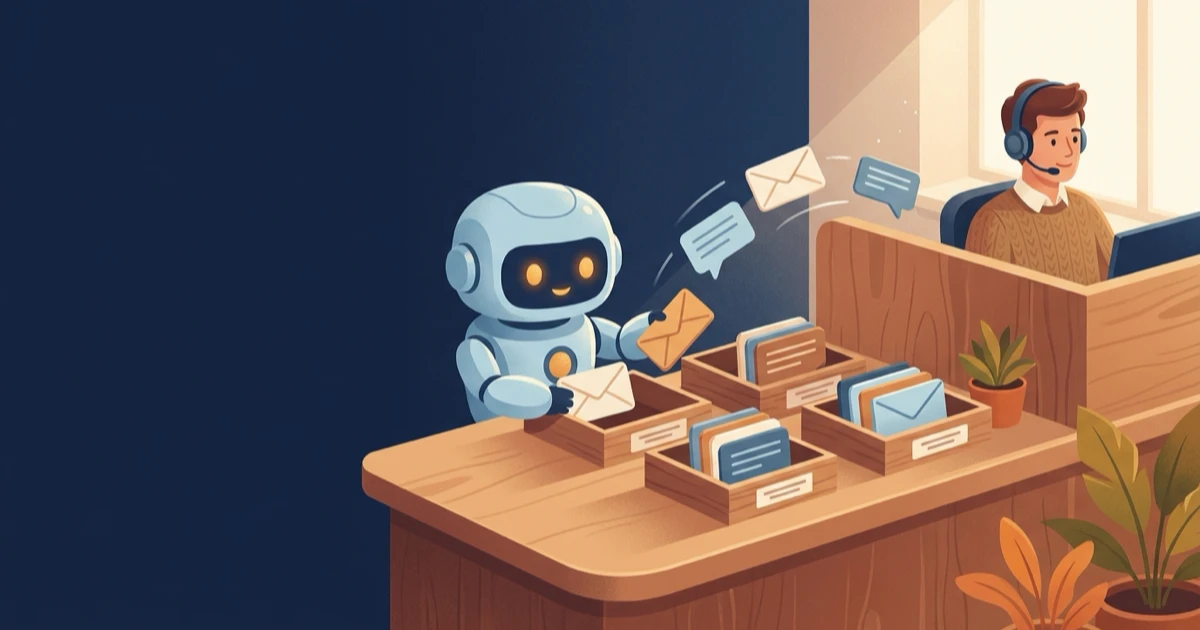
Short version: Pull your last 200 tickets, mark the ones that already have a written answer somewhere, and let a chatbot answer exactly those from your website, FAQ and documents. Connect live data for status questions, define when a person takes over and measure the result on your own tickets. Expect a solid share of routine questions, not 80 % of everything.
How to automate customer support
You automate customer support by letting software answer the questions that repeat and already have a documented answer, while people keep the cases that need judgement. The order matters more than the tool: first find out what your customers actually ask, then automate, then measure.
Step 1: Sort your last 200 tickets
Export the last 200 tickets or chats and put each one in one of three piles. Pile one: the answer is already written down somewhere (shipping times, return policy, opening hours, product details). Pile two: the answer needs live data (where is my order, is my appointment confirmed). Pile three: a person has to decide (complaints, refunds outside the policy, a customer who is clearly upset). Piles one and two are your automation backlog. Pile three stays human.
Step 2: Connect the knowledge you already have
A current AI chatbot no longer runs on rigid click paths. You give it your website address, it reads the pages and FAQ, and you add PDFs and internal documents. It then writes an answer to the question the customer actually typed, based on those sources. When your return period changes, you change one source and the next answer is up to date.
Step 3: Connect live data for status questions
"Where is my parcel?" is the single most common question in most online shops, and no FAQ answers it. A connection to your shop or order system lets the bot look up the status and reply with the tracking link. How that works without writing code is explained in connecting a chatbot to an API without coding; the feature itself is described under API connectors.
Step 4: Decide when a person takes over
Write down the rules before launch: the customer asks for a person, the topic is a complaint, the bot has no source for the answer. A bot that refuses to let go does more damage than no bot at all. The handover should carry the whole conversation, so the customer does not have to start over. We cover the details in when AI should hand over to a human. With WebChatAgent, live chat and human takeover are part of the Premium plan; see pricing.
Step 5: Test, launch, read the conversations
Ask the bot 30 real questions from your ticket piles before it goes live, including a few nasty ones. Our checklist for that is testing an AI chatbot before launch. After launch, read a sample of conversations every week for the first month. With the questions tool switched on, the WebChatAgent dashboard collects what visitors asked and flags the questions the bot had no information for. Each of those is a source you still need to add.
How to automate customer service tickets
Customer service tickets are automated on three levels: answer routine questions before they become a ticket, sort the rest by topic and urgency, and prepare a reply draft that a person checks. Most teams start with the first level because it removes volume, not just work per ticket.
The first level happens in the chat widget, on WhatsApp or on the phone: the question gets answered while the customer is still on your site, so no ticket is ever created. The second level is classification. Even an answer the AI cannot give can land with the right person straight away: the complaint goes to the team lead instead of being forwarded three times. The third level is drafting. For email, an assistant can write the reply from your knowledge base and leave it for a person to send; what can safely go out without a human read is explained in AI email replies: what happens automatically.
Can you automate 80% of support tickets?
For most businesses, not today. The 80 % figure comes from a Gartner forecast that agentic AI will resolve 80 % of common customer service issues without human help by 2029. It is a prediction about routine issues a few years out, not a benchmark for a bot you set up this month.
The present looks different. In a Gartner survey of 5,728 customers, only 14 % of service issues were fully resolved in self-service. Even for issues customers called very simple, the figure was 36 %. The two most common reasons were telling: in 43 % of cases customers could not find content relevant to their issue, and 45 % said the company did not understand what they were trying to do.
Both reasons are fixable, and that is where your own number comes from. Count the tickets in piles one and two from step 1. That share is your ceiling. How close you get to it depends on how complete your sources are and how well the bot understands the way your customers phrase things. A shop where half the tickets ask "where is my order" can get far with one API connection. A consultancy where every request is different will automate much less, and that is fine.
Automating customer support without engineering help
Yes, most of it works without a developer. Entering a website address, uploading documents, writing the bot's instructions, setting handover rules and pasting one embed snippet into your site are all tasks for the person who runs support. On WordPress you install a plugin and enter an ID.
Where you may still need help: an order or booking system without any API, data that sits only in a spreadsheet on someone's laptop, or a company policy that requires an IT review before any new tool touches customer data. None of that is a reason to wait. Start with the questions that need no live data and add the connections later.
What not to automate
Keep anything that needs a decision rather than an answer with people: complaints, goodwill refunds, contract changes, legal or medical questions, and customers who are already angry. A bot can recognise these cases and pass them on quickly, which is useful. It should not try to settle them.
There is a second reason to keep the path to a person short. In another Gartner survey, 64 % of customers said they would prefer companies not to use AI in customer service, and their biggest worry was that AI would make it harder to reach a person. Make the human option visible in every conversation and the worry loses its point. Hide it and you confirm it.
How to tell whether it works
Three numbers are enough at the start: the share of conversations the bot closes without a handover, the handover rate, and the questions it could not answer. If resolution goes up while handovers and complaints stay flat, the automation helps. If only the resolution rate rises, check whether the bot simply ends conversations without solving anything. More metrics and how to read them: chatbot analytics metrics and AI chatbots and customer satisfaction.
Phone calls follow the same logic. An AI phone assistant answers the same routine questions on the line and forwards the rest; how that looks in daily service is described in the AI phone assistant in customer service.
Automate the routine, keep the judgement
Let the AI answer documented questions from your own content and hand over to your team when a person is needed.
Common questions about automating customer support
Sort your recent tickets into questions with a written answer, questions that need live data and cases that need a person. Let an AI chatbot answer the first two groups from your website, documents and connected systems, set clear handover rules for the third, and measure the result on your own tickets.
On three levels: answer routine questions in chat, WhatsApp or on the phone before they become a ticket; sort the remaining tickets by topic and urgency; and let an assistant prepare reply drafts that a person checks before sending.
Yes, many platforms resolve routine tickets automatically, WebChatAgent among them for questions that have a documented answer or can be looked up through a connected system. None resolves every ticket. Complaints, goodwill decisions and unusual cases still need a person.
Rarely today. Gartner forecasts that agentic AI will resolve 80 % of common issues by 2029, but in its customer survey only 14 % of issues were fully resolved in self-service. Your own ceiling is the share of tickets with a documented answer or a data lookup.
Anything that needs a decision rather than an answer: complaints, goodwill refunds, contract changes, legal or medical questions and customers who are already upset. The bot should recognise these cases and hand them to a person quickly.
With WebChatAgent you can start on the free plan. Paid plans start at €19 per month plus VAT; live chat and human takeover are included from the Premium plan. Add the time someone spends each week reading conversations and filling knowledge gaps.