
Shopify AI Chatbot 2026: The Complete Setup & Optimization Guide
Learn how to add an AI chatbot to Shopify, connect store content, test product answers and configure human handoff before publishing.
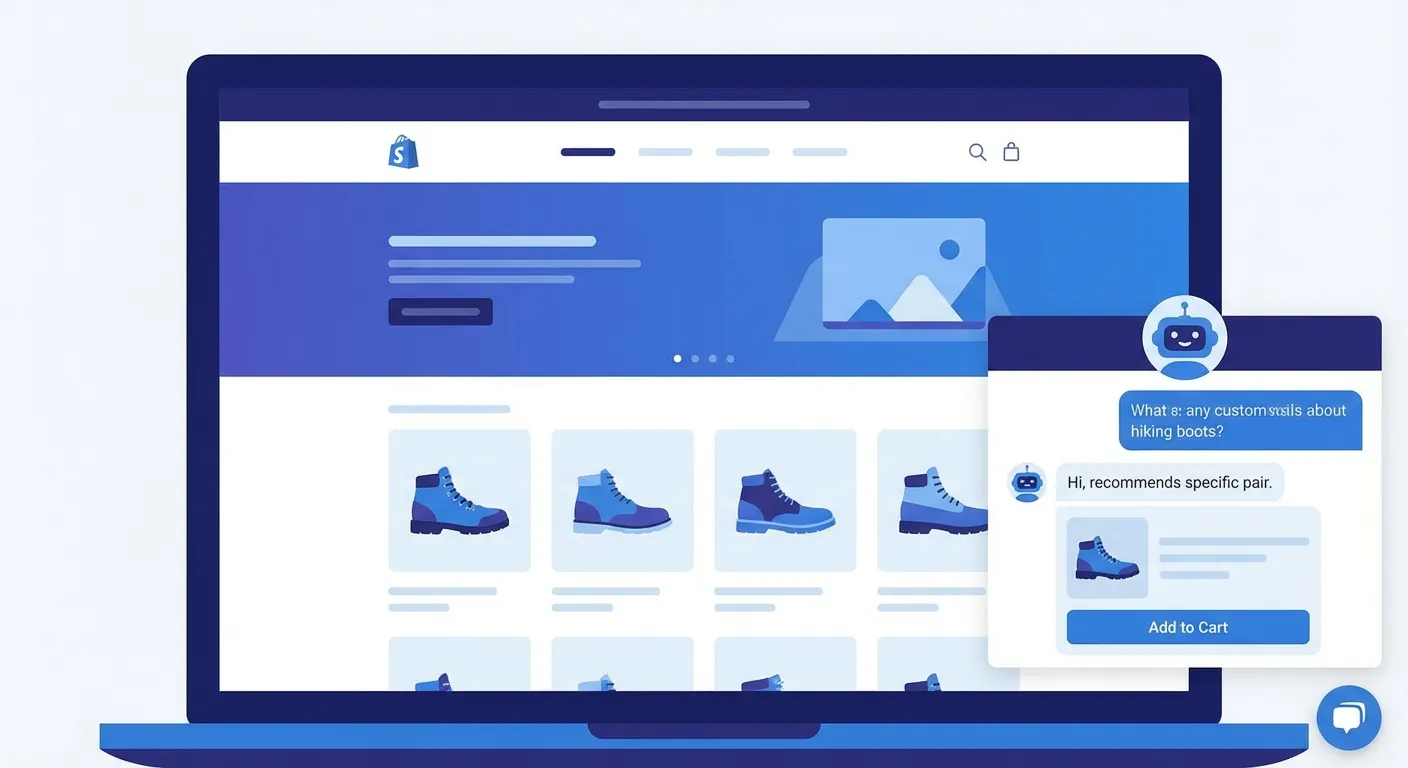
Shopify AI Chatbot Setup Guide
Why Every Shopify Store Needs an AI Chatbot in 2026
Here is a sobering number: the average e-commerce conversion rate hovers between 2% and 3%. That means for every 100 visitors landing on your Shopify store, 97 leave without buying anything. They browse your products, maybe add something to the cart, and then, gone.
The number one reason? Unanswered questions. "How much is shipping to my country?", "Can I return this if it doesn't fit?", "Is this compatible with my existing setup?", these micro-moments of hesitation kill conversions. If the answer isn't immediately available, the visitor closes the tab and moves on to a competitor who does answer.
Customer expectations have fundamentally shifted. In 2026, shoppers expect instant, 24/7 availability. They don't want to send an email and wait 24 hours. They don't want to fill out a contact form. They want to type a question and get a relevant answer in seconds, whether it's 2 PM on a Tuesday or 3 AM on a Sunday.
The Cost Reality Check
An AI chatbot can answer documented questions outside business hours and in multiple visitor languages. It does not replace your team: start with selected routine categories, measure the resolution and handoff rates, and keep complex cases with people.
Think about it this way: every minute your store goes without answering a visitor's question, you're potentially losing a sale. An AI chatbot closes that gap instantly. It's not a luxury anymore, it's table stakes for any serious Shopify merchant.
What an AI Chatbot Can Do for Your Shopify Store
A modern AI chatbot is far more than a glorified FAQ page. When properly set up, it becomes a 24/7 sales assistant, support agent, and product expert, all rolled into one. Here's what it can do for your Shopify store.
Cart Recovery in Real-Time
Cart abandonment is the silent killer of e-commerce revenue. The average cart abandonment rate sits around 70%, meaning seven out of ten shoppers who add a product to their cart leave without completing checkout. Most stores rely on follow-up emails to recover these carts, but by then it's often too late. The buyer has already moved on.
An AI chatbot changes this dynamic entirely. With proactive triggers, the chatbot can detect when a visitor is on the cart or checkout page and initiate a conversation at the right moment. Instead of waiting for the customer to ask, the chatbot proactively offers help: "I see you're about to check out, do you have any questions about shipping or returns?"
This is where most hesitation lives. The customer wonders about return policies, shipping costs, or delivery times. The chatbot answers instantly, removing the friction that would otherwise lead to abandonment. WebChatAgent has proactive trigger capabilities built specifically for this use case, you can configure triggers based on page URL, time on page, or scroll behavior.
Smart Product Recommendations
Imagine a shopping assistant that can find every product, variant, specification, and current price in your catalog. A chatbot connected to your Shopify content can use those details when answering a shopper.
When you train the AI on your Shopify store, it indexes your entire product catalog: titles, descriptions, prices, variants, collections, and any additional content on your site. This means a customer can type something like "I need a gift for my mom under $50" and get genuinely helpful, personalized suggestions, not a random list of products.
The chatbot can also handle upselling and cross-selling naturally within the conversation. If someone is looking at a basic product, the AI might mention that a premium version exists with additional features. If someone buys a phone case, the chatbot can suggest a matching screen protector. These recommendations happen conversationally, not as annoying pop-ups, making them far more effective.
Order Tracking & Post-Purchase Support
"Where is my order?", this is the single most asked question in e-commerce support. It accounts for up to 40% of all customer service inquiries. If your team is manually answering this question dozens of times per day, that's hours of productive time lost.
An AI chatbot can handle order tracking questions automatically by pulling information from your store's FAQ pages or order policy pages. Beyond tracking, it can handle the second most common category: returns and exchanges. Return windows, required conditions, refund timelines, exchange procedures, all of this can be answered instantly.
Support Ticket Reduction
Measure ticket volume by category before and during a controlled pilot. Configure the chatbot for documented, repetitive questions and flag complex or uncertain issues for your human team.
24/7 Multilingual Support
If you sell internationally on Shopify, and many merchants do, language barriers are a real conversion killer. A visitor from France lands on your English-language store. They have a question about sizing. They leave because they can't communicate effectively.
A modern AI chatbot can auto-detect the visitor's language and respond in kind from the same knowledge base. A German customer can get a German answer and a Japanese customer a Japanese answer. Test each important language with fluent reviewers because quality can vary by language and topic.
For Shopify merchants using Markets or selling through multiple storefronts, this is massive. You get the equivalent of a multilingual support team without the cost of hiring native speakers in every market you serve.
Step-by-Step: Adding WebChatAgent to Shopify
Ready to configure an AI chatbot for your Shopify store? The duration depends on the size of your catalog and the integrations you need. Here is the process.
Step 1: Create Your Free Account
Head to webchatagent.com/register and create your free account. No credit card required. The free plan includes everything you need to get started: AI chat, website indexing, and the embeddable widget.
Step 2: Train the AI on Your Store
Once you're in the dashboard, navigate to the "Data Sources" section. This is where the magic happens.
- Click "Add Source".
- Paste your Shopify store URL (e.g.,
https://your-store.myshopify.comor your custom domain). - Click "Train".
The system crawls the store pages it can access, including product, collection, policy, about, FAQ and blog pages. Processing time depends on the size and structure of your catalog; review the imported sources before testing.
Pro Tip: Upload Additional Documents
Got size guides, shipping rate tables, or product comparison charts that aren't published on your website? You can upload these as additional documents in the Data Sources section. The more context the AI has, the better it answers. Think about what your customers frequently ask that isn't covered on your site.
Step 3: Embed the Chat Widget on Shopify
With your AI trained, it's time to add the chat widget to your storefront. You have two options:
Recommended Option A: Shopify Theme Editor
- In Shopify Admin, go to Online Store > Themes.
- Click "Customize" on your active theme.
- Click "Add Section" at the bottom of the page.
- Select "Custom HTML" (or "Custom Liquid").
- Paste the embed code from your WebChatAgent dashboard.
- Click "Save".
Option B: Manual Code Embed
- In Shopify Admin, go to Online Store > Themes.
- Click the "..." menu, then "Edit Code".
- Open theme.liquid in the Layout folder.
- Paste the embed code just before the closing
</body>tag. - Click "Save".
What Does the Embed Code Look Like?
It's a single, lightweight <script> tag, nothing complicated. You copy it from your WebChatAgent dashboard and paste it into your theme. No npm packages, no build steps, no dependencies. It loads asynchronously so it won't slow down your store.
Step 4: Configure for E-Commerce
Your chatbot is live, now let's configure it to maximize its impact for e-commerce. In your WebChatAgent dashboard, fine-tune these settings:
- Set up proactive triggers on the cart page: Configure the chatbot to initiate a conversation when visitors are on
/cartor/checkoutpages. This is your highest-impact trigger. - Enable lead collection: Capture email addresses from interested visitors. These feed directly into your email marketing pipeline for abandoned cart sequences or promotional campaigns.
- Configure human handover: Set rules for when the AI should escalate to a human agent, for example, on order-specific issues, complaints, or high-value inquiries. This ensures no customer gets stuck in a loop.
- Customize the welcome message: Tailor it for your store's personality and product category. A fashion store might say "Looking for the perfect outfit? I can help!" while an electronics store might lead with "Got questions about specs or compatibility? Ask away!"
Optimization Playbook for Shopify Stores
Getting the chatbot installed is step one. Optimizing it for maximum revenue impact is where the real gains happen. Here's your playbook.
Optimize Your Welcome Message
Your welcome message is the first impression. A generic "How can I help you?" is fine, but it doesn't drive engagement. For e-commerce, you want something that speaks directly to the shopping intent.
Weak Welcome Messages
- "Hello! How can I help you?"
- "Welcome to our store."
- "Ask me anything."
Strong Welcome Messages
- "Hi! Need help finding the perfect product? I know our entire catalog."
- "Looking for something specific? I can check sizes, prices, and availability instantly."
- "Got a question about shipping or returns? I'm here 24/7."
Test different messages over one- to two-week intervals. Track which ones generate more conversations and, more importantly, which ones lead to higher conversion rates in your analytics.
Set Up Cart Page Triggers
This is the single most valuable optimization you can make. The cart page is where buying intent is highest, and where abandonment is most painful.
Configure a proactive trigger that fires 15–20 seconds after a visitor lands on the cart or checkout page. Too fast feels aggressive; too slow and they've already left. The sweet spot is when they've had time to review their cart but haven't yet decided to leave.
Example Cart Trigger Message
"Almost there! Do you have any questions about shipping, returns, or your items before you check out? I'm happy to help."
This message acknowledges their intent to purchase, addresses the most common hesitation points, and offers assistance without being pushy.
Create Product-Specific Knowledge
Your website content is the foundation, but you can go deeper. Think about the questions your customers ask that go beyond what's on your product pages:
- Size guides: Upload detailed sizing charts, measurement instructions, and fit comparisons.
- Product comparison charts: "What's the difference between Model A and Model B?", have the answer ready.
- Care instructions: "How do I wash this?" or "Is this dishwasher safe?", common questions that often aren't on product pages.
- Compatibility info: "Does this case fit the iPhone 16 Pro Max?", critical for accessories and tech products.
- Ingredient or material details: Especially important for skincare, food, or sustainable fashion stores.
Upload these as documents in WebChatAgent's Data Sources section. The more product-specific knowledge the AI has, the more confidently it can convert browsing into buying.
Monitor Unanswered Questions Weekly
This is your secret weapon for continuous improvement. WebChatAgent tracks questions the AI couldn't answer confidently, the knowledge gaps feature shows you exactly what visitors are asking that the bot doesn't know.
Make it a weekly habit: review the unanswered questions, identify patterns, and fill the gaps. If ten people asked about international shipping rates and the bot couldn't answer, you know exactly what content to add. If customers keep asking about a product that's out of stock, maybe it's time to set up a waitlist.
This feedback loop is incredibly powerful. Every week, your chatbot gets smarter because you're feeding it the exact information your customers are looking for. After a month, the percentage of unanswered questions will drop dramatically.
A/B Test Chatbot Personality
The tone and personality of your chatbot matter more than you might think. Some audiences respond better to a casual, friendly tone while others prefer a professional, straight-to-the-point approach.
- Test formal vs. casual: "I'd be happy to assist you with your inquiry" vs. "Sure thing! Let me help you find that."
- Test different names: A named persona ("Hi, I'm Sophie!") often outperforms a generic label ("Support Bot"). Experiment with names that match your brand personality.
- Measure engagement: Track conversation length, click-through rates on recommended products, and ultimately conversion rates. Let the data tell you which personality drives more revenue.
Run each variation for at least two weeks to gather statistically meaningful data before making a decision.
WebChatAgent vs. Shopify Inbox vs. Tidio
Not all chatbot solutions are created equal. Here's how the three most popular options for Shopify stores stack up against each other.
WebChatAgent
- Answers: Reads your website and product content instead of relying only on keyword matching.
- Proactive Triggers: Yes, configurable by page URL, time on page, and scroll behavior. Perfect for cart recovery.
- Languages: multilingual answers with auto-detection; test priority markets before launch.
- Integrations: API connectors, appointment booking, lead collection, human handover.
- Pricing: Free plan with full features. Paid plans for higher volume.
- Key Advantage: Uses relevant product details for natural answers instead of only scripted responses.
Shopify Inbox
- AI Technology: Basic AI with limited automated responses. Primarily a live chat tool.
- Proactive Triggers: No, limited to a static welcome message.
- Languages: Limited language support, no auto-detection.
- Integrations: Built into Shopify only. No external integrations.
- Pricing: Free (included with Shopify).
- Limitation: Designed as a live chat tool, not an autonomous AI agent. Requires human availability to be effective.
Tidio
- AI Technology: AI chatbot with rule-based flows and more limited use of connected product context.
- Proactive Triggers: Yes, but advanced triggers require paid plans.
- Languages: Fewer languages supported. No automatic language detection on free plan.
- Integrations: Good selection but some require paid tiers.
- Pricing: Limited free tier. Advanced AI features start at $29/month and up.
- Limitation: The free plan is restrictive and relies on simpler matching logic for answers.
How Source-Backed Answers Work
The technical term is Retrieval-Augmented Generation (RAG): the chatbot finds relevant passages in your connected product content and gives them to the AI model as evidence. Simple bots only match keywords to pre-written responses. Source-backed answers can handle varied phrasing while staying tied to your catalog, more like a knowledgeable sales associate than a search box.
Illustrative Shopify Pilot Metrics
The figures below are not documented customer results. Use the cards as a measurement template and replace the values with your own baseline and pilot data.
Compare checkout abandonment for similar traffic before and during help triggers on shipping and returns.
Measure order-tracking and returns tickets while monitoring incorrect answers and handoffs.
Track qualified product inquiries outside business hours and their later conversion.
Metrics to Evaluate in Your Shopify Pilot
Predefine the comparison window and include setup, review and support costs. This keeps the result useful even when a metric does not improve.
Add AI to Your Shopify Store Today
Test WebChatAgent on selected Shopify questions, measure the result and expand only when the evidence supports it.