
Multilingual AI Chatbot: Serve International Customers with One Bot
Stop building separate bots for each language. Learn how one AI chatbot detects visitor language and responds from a shared knowledge base, with quality checks for the markets that matter to you.
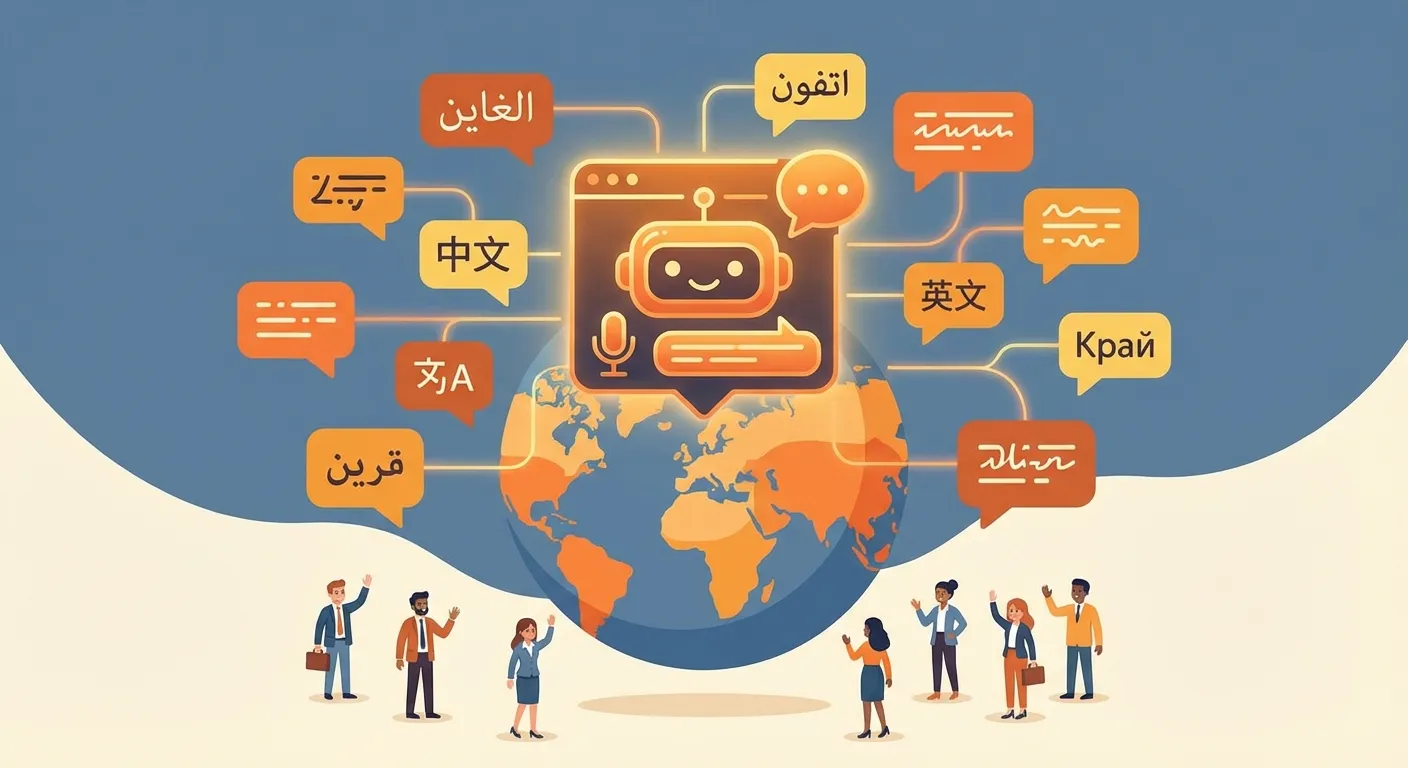
Multilingual AI Chatbot Guide
The Language Problem That Costs Businesses Billions
The internet has no borders, but language does. Every day, thousands of potential customers land on your website, read a few words, realize it's not in their language, and leave. They don't fill out a contact form. They don't try Google Translate. They simply bounce to a competitor who speaks their language.
The numbers are staggering: 75% of consumers prefer to buy products in their native language, and 40% will never purchase from a website that isn't available in their language. That's not a minor inconvenience, it's a massive revenue leak that most businesses don't even measure.
Until now, the solutions have been painful and expensive:
- Multilingual support staff: Hiring native speakers costs $5,000+ per month per language. For 10 languages, that's $50,000/month before you even count training, management, and turnover.
- Translation agencies: Professional translation runs $0.10–0.25 per word. A single FAQ page can cost $500+. And every time you update your content, you pay again, and wait days or weeks for delivery.
- Building separate bots per language: Some companies try to create individual chatbots for each market. The result? A maintenance nightmare where updates need to be replicated across dozens of systems, and quality varies wildly between languages.
A single AI chatbot can detect the visitor's language and answer from one knowledge base. Test the languages and topics important to your business with fluent reviewers instead of assuming identical quality everywhere.
And this isn't basic Google Translate slapped onto a chat window. Modern AI understands context, nuance, tone, and business terminology. It knows the difference between a casual inquiry and a formal business request. It adapts its register, its vocabulary, and even its cultural references to match the visitor's expectations.
How AI Makes Multilingual Support Effortless
The magic behind a multilingual AI chatbot isn't a giant dictionary, it's a deep understanding of how languages work. Here's how the technology makes it seamless.
Automatic Language Detection
The moment a visitor arrives on your site, the AI already has clues about their preferred language. It checks browser language settings, geographic location, and referral source. But the real detection happens when they type their first message.
Whether someone writes in Portuguese, Hindi, or Korean, the AI identifies the language instantly and responds accordingly. No dropdown menus. No "Please select your language" prompts. It just works.
What makes this truly powerful is mid-conversation switching. If a French-speaking visitor starts in French but then switches to English (perhaps to quote a technical term or share a product name), the AI adapts seamlessly. It can even handle mixed-language messages, a common pattern in multilingual households and international business environments.
The system works with every major writing script: Latin, Cyrillic, Arabic (right-to-left), Chinese characters, Japanese (Hiragana, Katakana, Kanji), Korean Hangul, Devanagari, Thai, and dozens more. Your visitors don't need to change anything about how they communicate.
Real-Time Contextual Translation
This is where AI chatbots leave traditional translation tools in the dust. Instead of translating word-by-word (which produces awkward, robotic text), the AI understands the meaning of your content and re-expresses it naturally in the target language.
Consider the difference: A word-for-word translation of "Our product is a game-changer" into German might produce something confusing. The AI instead conveys the concept, that the product is revolutionary, using natural German phrasing that resonates with native speakers.
The AI also maintains your brand tone across every language. If your brand is casual and friendly in English, it stays casual and friendly in Japanese. If you're formal and professional, it applies the appropriate level of formality, including choosing between formal and informal address forms like German "Sie" vs. "Du" or French "vous" vs. "tu".
It handles industry jargon, too. A medical device company's chatbot correctly uses medical terminology in Spanish. A SaaS company's bot uses the right technical vocabulary in Japanese. The AI draws on its vast training data to find the precise terms your customers expect in their field and their language.
Example: A German visitor asks "Was kostet das Starter-Paket?", the chatbot responds with a natural German answer, using the formal "Sie" address for a business context, correct Euro formatting (49,00 €), and culturally appropriate phrasing. No translation step visible to the user.
One Knowledge Base for Multiple Languages
The main operational benefit is maintaining one source of truth: you provide content in your primary language and the chatbot can formulate answers in the visitor's language.
Upload your website content, FAQs, product descriptions, and support documents in English (or whatever your primary language is). The AI processes this content semantically, it understands the meaning, not just the words. When a visitor asks a question in Thai, the AI finds the relevant information from your English knowledge base and formulates a natural Thai response. The detailed guide to a multilingual chatbot knowledge base explains source-language choices, retrieval and testing in more depth.
When you update your source content, the chatbot uses that current source for later answers. You should still test high-risk wording and important markets with fluent reviewers; generated language is not a substitute for legal or specialist translation.
This can reduce duplicated content maintenance. The actual time saved depends on your content volume, review requirements and target markets.
Setting Up a Multilingual Chatbot with WebChatAgent
Getting your multilingual chatbot live is surprisingly straightforward. Here's the step-by-step process.
Step 1, Train in Your Primary Language
Start by uploading your existing content to WebChatAgent. This includes indexed pages from your website, FAQ documents, product information, pricing details, support articles, anything your customers might ask about.
You can add content by pasting your website URL (the AI crawls and reads all pages automatically), uploading PDF or text files, or manually entering specific information you want the bot to know.
The AI uses semantic matching rather than memorizing exact wording. It can formulate an answer in another language from a matching source passage. Test policies and important terminology with fluent reviewers before publishing them.
Pro tip: Detailed, well-structured source content gives the chatbot better evidence. Review answer quality separately for each important language.
Step 2, Configure Language Preferences
Start with representative tests in your key markets, then tune the experience for each deployed language:
- Default language: Set the language used when detection is uncertain (e.g., very short first messages). This should match your primary market.
- Welcome messages: Optionally configure language-specific greetings for your top 3–5 markets. A French visitor seeing "Bonjour! Comment puis-je vous aider?" feels immediately at home.
- Formality preferences: For languages with formal/informal distinctions, set the default. German B2B? Use formal "Sie". A casual consumer brand in French? "Tu" might be more appropriate.
- Fallback behavior: Decide what happens if the AI encounters a language it's less confident in. Options include defaulting to English, asking the visitor to clarify, or connecting to a human agent.
These settings take just a few minutes to configure and dramatically improve the experience for your most important markets.
Step 3, Test Across Languages
Before going live, test your chatbot in at least 5–10 of your target languages. Here's a testing checklist:
- Ask the same question in multiple languages and compare the quality of responses.
- Check cultural appropriateness: Are greetings, sign-offs, and politeness levels correct?
- Verify that industry-specific technical terms translate correctly in each language.
- Test edge cases: What happens when someone writes in a mix of two languages?
- If possible, ask native speakers to review conversations in their language and provide feedback.
Pro Tip: Review Multilingual Conversations
Use the conversation history in your WebChatAgent dashboard to review past multilingual conversations. This is the fastest way to spot translation issues, find knowledge gaps in specific languages, and continuously improve quality. Sort by language to focus on your top markets first.
Cultural Considerations Beyond Translation
Speaking a customer's language is just the first step. True multilingual support means understanding the cultural context behind each language. Here are the key considerations:
Cultural Awareness Checklist
- Formal vs. informal address: German uses "Sie" (formal) and "Du" (informal). French distinguishes "vous" and "tu". Japanese has multiple levels of honorific speech (keigo). Getting this wrong can feel disrespectful to customers.
- Date and number formats: US writes MM/DD/YYYY, most of Europe uses DD.MM.YYYY, Japan uses YYYY/MM/DD. Decimal separators vary too, 1,000.50 in English becomes 1.000,50 in German.
- Currency formatting and local payment references: Mentioning PayPal to a Chinese customer? They'll likely prefer Alipay or WeChat Pay. Euro formatting differs between countries too.
- Time zones and business hours: "Our office is open 9–5" means nothing without a time zone. For international customers, include UTC offsets or adapt business hours to their local time.
- Communication styles: German and Dutch customers tend to prefer direct, concise communication. Japanese and Korean customers often expect more indirect, polite phrasing with relationship-building elements.
- Religious and cultural sensitivities: Marketing language that works in one culture can be inappropriate in another. Food references, holiday greetings, and imagery all carry cultural weight.
WebChatAgent handles many of these nuances automatically, the AI has been trained on culturally appropriate communication patterns for each language. But understanding these differences yourself helps you configure the best possible experience and review conversation quality more effectively.
Real-World Use Cases
Multilingual chatbots aren't just for giant enterprises. Here's how businesses of every size are using them across industries.
E-Commerce, Selling to 50+ Countries
International e-commerce is booming, but customer support hasn't kept up. A multilingual chatbot transforms the buying experience:
- Product questions across target languages: test equivalent questions such as "Is this jacket waterproof?", "Ist diese Jacke wasserdicht?" and "¿Esta chaqueta es impermeable?" against the same source.
- Shipping information adapted per region: The bot knows to mention DHL for German customers, Royal Mail for UK shoppers, and Yamato for Japanese buyers.
- Size and measurement conversions: Automatically converts between US, EU, and UK sizing. Displays measurements in centimeters or inches based on the visitor's locale.
- Payment method questions by country: Guides customers to locally preferred payment options, iDEAL in the Netherlands, Klarna in Scandinavia, Boleto in Brazil.
Tourism & Hospitality
Hotels, tour operators, and travel companies serve the most linguistically diverse customer base imaginable. A multilingual chatbot is a natural fit:
- Booking inquiries from international travelers: Answer approved reservation questions in tested languages outside staffed hours.
- Local recommendations in the visitor's language: "What restaurants are near the hotel?" answered in fluent Mandarin, complete with locally relevant suggestions.
- Check-in and check-out procedures: Explain policies clearly in the guest's language, reducing front desk confusion and wait times.
- Dietary and accessibility requirements: Use approved wording and human escalation for allergies, wheelchair access and religious dietary needs; test every deployed language.
SaaS & Technology Companies
Software products often have global user bases from day one. Multilingual support is essential for growth:
- Technical support in local languages: Users can describe bugs and issues in their native language, reducing frustration and improving resolution speed.
- Onboarding guides for global users: Walk new users through setup in their preferred language, increasing activation rates in international markets.
- Feature explanations with appropriate technical vocabulary: The AI uses the correct technical terms in each language, not awkward literal translations of English tech jargon.
- Billing and subscription questions: Answer from current pricing and billing sources in tested languages; keep tax advice out of scope unless reviewed.
Professional Services
Law firms, consultancies, accounting firms, and agencies increasingly serve international clients:
- Initial intake in the client's preferred language: A potential client reaching out in Portuguese can describe their needs naturally, even if your team primarily works in English.
- Document requirement explanations: Explain which documents are needed for a visa application, company registration, or tax filing, in the client's language, reducing back-and-forth.
- Appointment scheduling across time zones: The chatbot handles time zone conversion automatically, showing available slots in the client's local time.
- Follow-up and status updates: Keep international clients informed about their case or project status in their preferred language, improving satisfaction and reducing support calls.
Multilingual Chatbot vs. Human Translators, When to Use What
An AI chatbot doesn't replace human translators, it handles a different part of the puzzle. Understanding when to use each makes your multilingual strategy far more effective and cost-efficient.
AI Chatbot Strengths
- Instant response, no waiting for a translator
- 24/7 availability across all time zones
- One knowledge base for tested target languages
- Consistent quality across every conversation
- Handles multilingual conversations from one knowledge base
Human Translator Strengths
- Complex legal and medical documents
- High-stakes negotiations and contracts
- Nuanced cultural communication requiring deep expertise
- Content published permanently (marketing, branding)
The Recommended Hybrid Approach
- AI chatbot for real-time customer interactions, this covers 80–90% of all multilingual support cases. Quick questions, product info, order tracking, FAQs, appointment scheduling.
- Human review for critical communications, when a conversation escalates or involves sensitive matters, a human agent can step in via the live chat handover feature.
- Human translators for marketing content and official documents, website copy, legal terms, and brand campaigns deserve professional human translation.
The bottom line: AI handles the volume, humans handle the exceptions.
Measuring Multilingual Performance
Launching a multilingual chatbot is just the beginning. To get the most out of it, you need to measure and optimize continuously. Here are the key metrics to track:
Language Breakdown Analytics
Your chatbot dashboard shows which languages your visitors actually use. You might be surprised, many businesses discover significant traffic from languages they never considered. If 15% of your conversations are in Portuguese but you have zero Portuguese marketing content, that's a growth opportunity you're missing.
Resolution Rate Per Language
Are some languages getting worse results than others? If your chatbot resolves 85% of English conversations but only 60% of Japanese conversations, there might be industry-specific terminology or cultural context that needs attention. Dig into the conversations to understand why certain languages underperform.
Customer Satisfaction Per Language
If you use CSAT scores or thumbs-up/thumbs-down ratings, break them down by language. Consistently lower ratings in a specific language could indicate translation quality issues, missing cultural context, or knowledge base gaps for that market.
Identifying Underserved Languages
High conversation volume in an unexpected language is a signal. If you're seeing hundreds of Arabic conversations per month but have no Arabic-language content on your website, consider creating targeted landing pages or content for that market. Your chatbot is already serving them, now back it up with dedicated marketing.
Response Quality Review
Periodically review conversations in your top 5–10 languages. Even if you don't speak the language, you can use the dashboard's built-in conversation view to spot patterns: Are conversations ending abruptly? Are visitors rephrasing the same question multiple times (a sign the bot didn't understand)? Are there topics that consistently trigger fallback responses?
Use these insights to continuously improve: If French customers frequently ask about a topic not covered in your knowledge base, add it. If Korean conversations show lower satisfaction, have a Korean speaker review a sample of conversations and suggest improvements. Small, data-driven adjustments compound into a dramatically better multilingual experience over time.
Go Global with One Chatbot
Serve international customers from one knowledge base, with automatic language detection and market-specific quality checks.
Multilingual chatbot: common questions
It detects the visitor’s language from their first message and replies in that language, drawing answers from your existing content. You do not need a separate bot per language.
WebChatAgent detects and answers in multiple visitor languages. Test representative questions with fluent reviewers in every market that matters to your business; model quality varies by language and topic.
No. The AI understands your source content and generates answers in the visitor’s language on the fly, so you maintain one knowledge base instead of one per market.
Yes. Your site can be in English while the bot answers a visitor in German, Spanish or any other supported language automatically.
Not with WebChatAgent — multilingual answering is included in every plan, with no per-language fee.